Account Deletion
How to request permanent deletion of your Nutricure account and all associated data
⚠️ Warning: Account deletion is a permanent and irreversible action. All your data will be deleted immediately and cannot be recovered.
How to delete your account
You can delete your Nutricure account directly from the mobile application by following these simple steps:
Open the Nutricure app
Make sure you are logged in with the account you want to delete.
Go to Profile
Navigate to the profile section of the application, accessible from the main navigation bar.
Select Account Management
Inside the profile, find and open the "Account Management" section.
Click on Delete Account
Press the "Delete Account" button and confirm your choice when prompted.
Confirm deletion
The account and all associated data will be deleted immediately and permanently.
Visual Guide
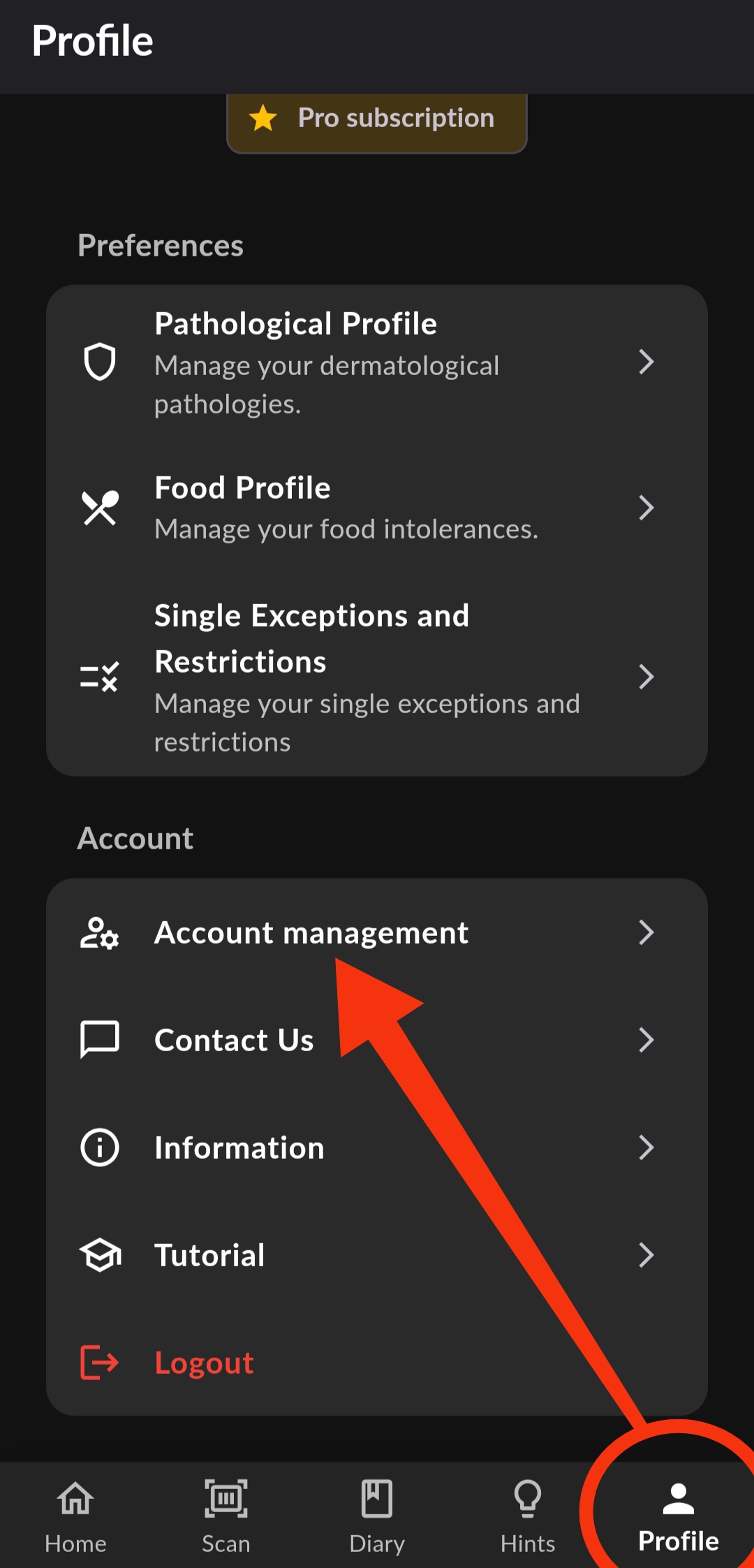
1. Go to Profile > Account Management
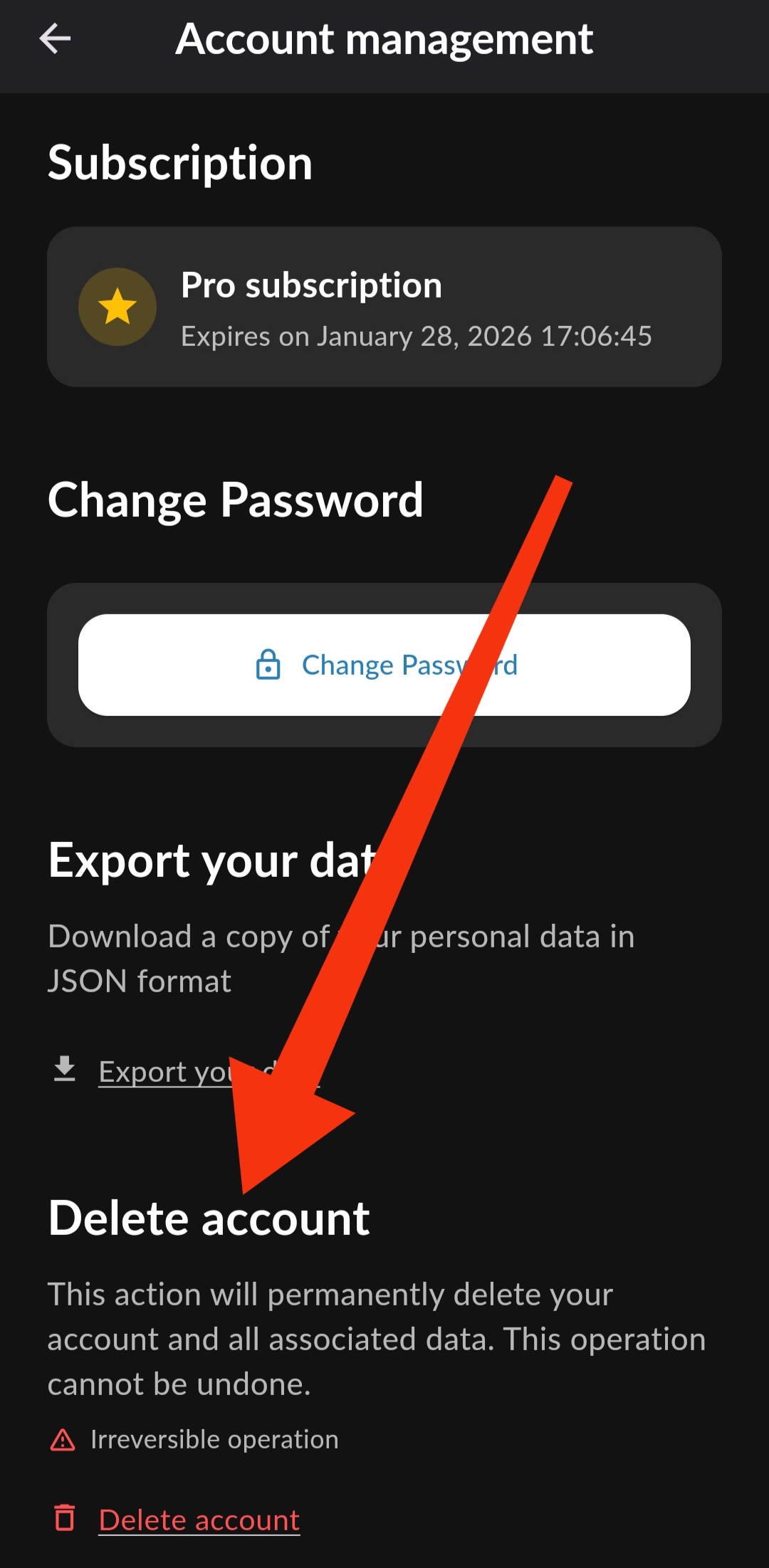
2. Select Delete Account
Deleted Data
When you delete your Nutricure account, the following data is deleted immediately and permanently:
📋 Deleted Data
- Account Information: Email, password, and authentication credentials
- Personal Profile: Skin conditions, food intolerances, dietary preferences, and restrictions
- Food Diary: All logged meals, skin/mood/stress ratings, and nutritional data
- Scan History: Scanned products and ingredient analysis
- AI Generated Content: Meal plans, personalized reports, and nutritional analyses (for Pro users)
- Subscriptions: Information about subscription status (active subscriptions will continue until the end of the paid period)
Retention Period
Immediate Deletion: There is no grace or retention period. Once deletion is confirmed, all data is immediately and irreversibly deleted from our systems.
Active Subscriptions
If you have an active subscription (Standard or Pro):
- Deleting your account does not automatically cancel your subscription
- The subscription will continue until the end of the paid period
- To cancel your subscription, follow your app store's instructions:
- iOS: Settings → Apple ID → Subscriptions → Nutricure → Cancel
- Android: Google Play Store → Subscriptions → Nutricure → Cancel
- We recommend canceling your subscription before deleting your account
Support
If you have difficulty deleting your account or have questions about the process, you can contact us at:
Email: support@nutricure.app
Subject: "Account Deletion Request"
Note: This process is compliant with GDPR and data protection regulations. You have the right to request deletion of your personal data at any time.
For more information about how we handle your data, please consult our Privacy Policy and Terms of Service.